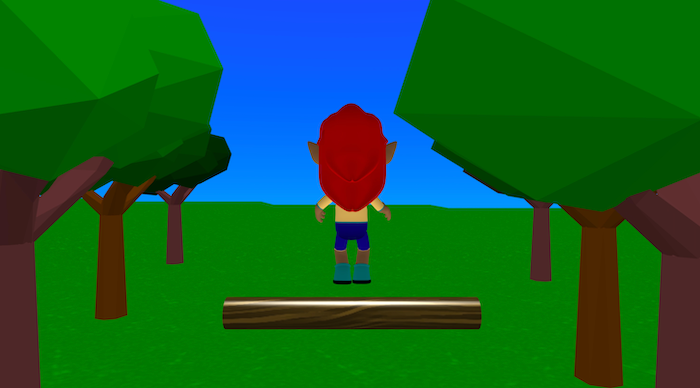
Tree Jump is a simple jumping game where you control an elf character in a forest.
The goal is to jump over the moving tree trunk and survive as long as possible. The logs roll across the ground towards you, and if you collide with one, the game ends and your score is shown.
This project demonstrates physics, jumping, animation switching, collision detection, scoring, and camera follow.
Try it out
1. Open Flock XR and go to the Demo menu. 2. Select 🌳 Tree Jump. 3. Press Play. 4. Use the controls: Spacebar (Button 4) to jump 5. Try to avoid the moving tree trunk!
Explore the code
Open the code and look for these parts:
Jumping With Physics A force is applied upward and forward to create a realistic jump. A variable called jumping stops the player from jumping again until they land.
Animation Switching The game uses animations such as Idle, Jump Up, Jump Idle, and Jump Land to connect the character to the actions.
Moving Obstacle A tree trunk cylinder moves using a looped glide block. This creates a simple game obstacle.
Scoring Each time the trunk moves far enough forward, the score increases. The player says the score shown as text on the scene.
Game Over When the player collides with the trunk, the trunk disappears and “Game over: [score]” appears.
Remix ideas
Try extending the project with your own ideas:
Add moremoving obstacles (logs, boulders, rolling cubes).
Increase obstacle speed as the score goes up
Add sound effects for jumping, landing, or collisions.
Add health or lives instead of one-hit game over.
Add collectible items to earn bonus points.
Edit the character, scenery, and world colours and materials.
A similar project you could create
Create your own endless-jump game where obstacles appear randomly.