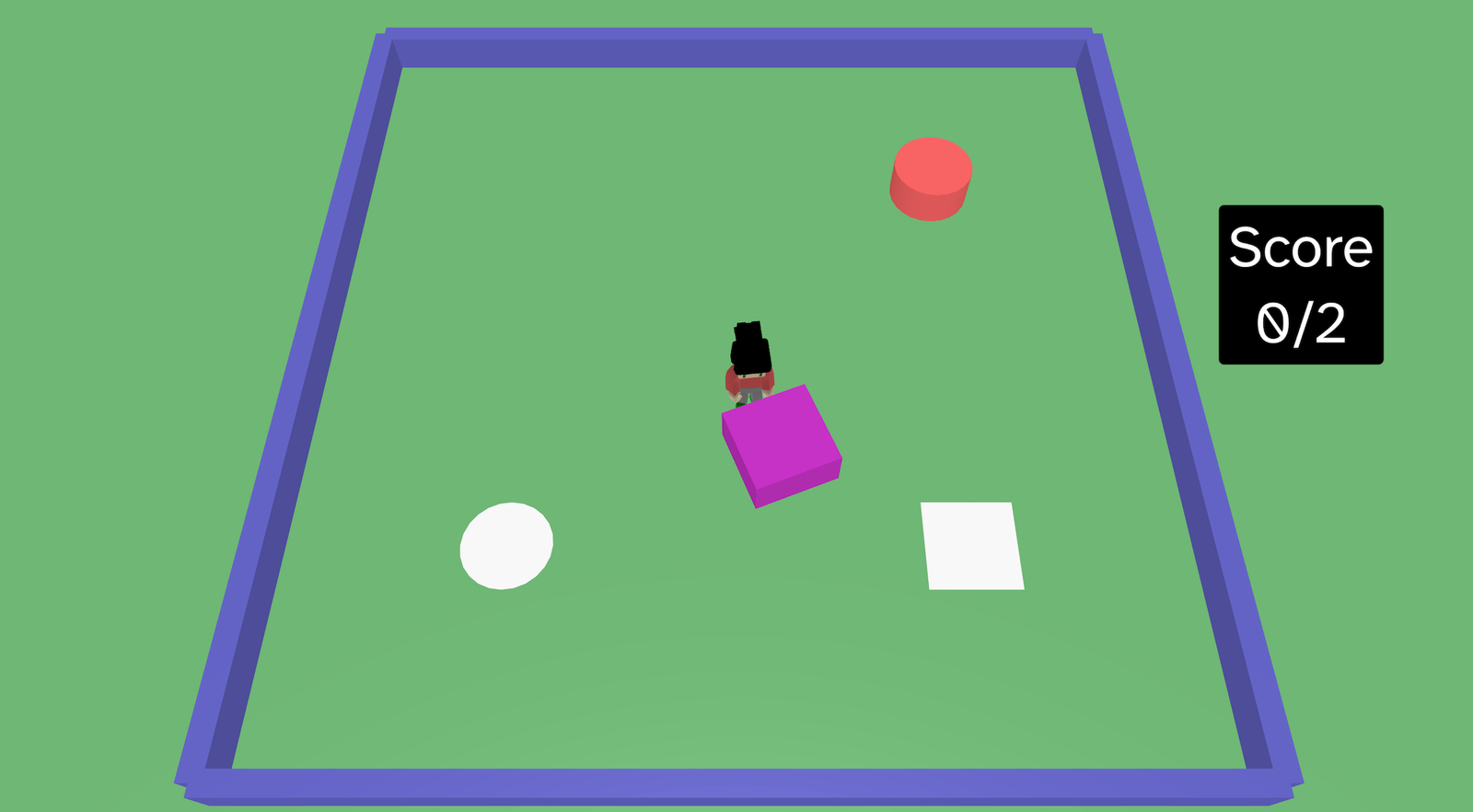
Shape Push is a simple physics puzzle where you move a character around an arena and push the coloured shapes onto their matching grey target shapes. When a shape reaches the correct marker, it glows, changes colour, adds to the score, and plays a particle effect.
Try it out
1. Open Flock XR and go to the Demo menu. 2. Select 🔶 Shape push. 3. Press Play. 4. Use WASD to move. 5. Push each coloured shape onto its matching grey shape.
Explore the code
Open the code and look for these parts:
Arena and barriers Four long boxes create the walls around the puzzle area.
Camera setup The camera is moved above the game and tilted down, giving a top-down puzzle view.
Shape targets A grey box marker and grey cylinder marker are created with Static physics.
Pushable shapes A coloured box and coloured cylinder are created with Dynamic physics, so the player can push them.
Player movement A character is loaded with Dynamic physics and controlled with WASD.
Scoring and feedback When each shape touches its matching marker: – the marker changes colour – the score goes up – the marker glows – particles appear
Score sign An invisible sign displays the live score as “Score 0/2”, “Score 1/2”, or “Score 2/2”.
Remix ideas
Try extending the project with your own ideas:
Add more shapes and targets
Add a win message
Use size to make some shapes easier or harder
Make the arena bigger or smaller
Add obstacles in the middle
Add a “You win!” message when the score reaches 2
A similar project you could create
Create a garden game – Push blue blocks of water into flowers to make them grow – Add butterfly and bee particles effects from the flowers