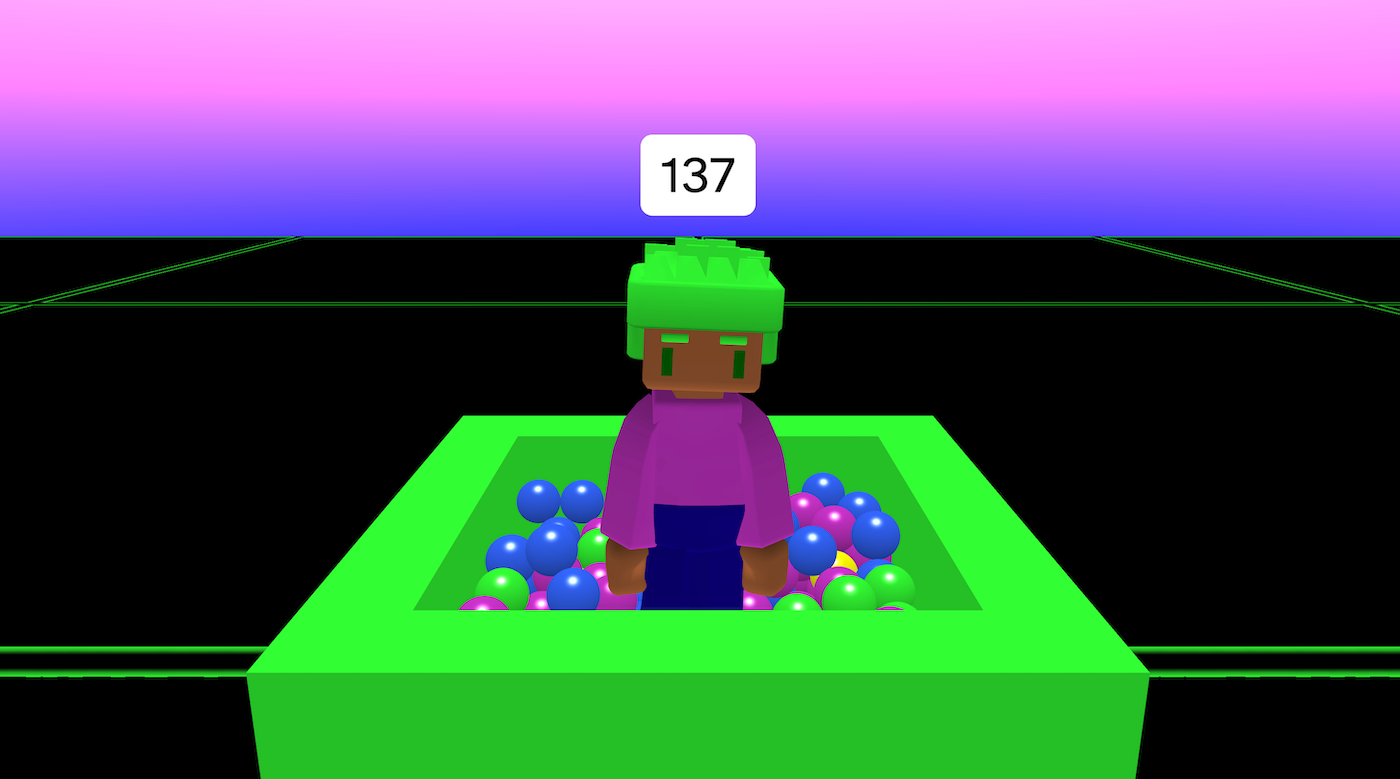
Ball Pit is an interactive scene where you press keys (or on-screen buttons) to drop colourful balls into a box-shaped “pit,” and a counter tracks how many balls you’ve spawned while your character reacts with an animation.
Try it out
1. Open Flock XR and go to the Demo menu. 2. Select 🟠 Ball pit 3. Press Play. 4. Controls: – Press E / R / F / Space (or use the on-screen action buttons) to drop a ball – Watch the ball counter update above the character
Explore the code
Open the code and look for these parts:
Build the ball pit (the walls) The pit is just four big boxes arranged like a container: – two tall side walls (left and right) – two end walls (front and back) These boxes create a physical boundary so the balls collect instead of rolling away.
Camera setup (fixed “spectator” view) Instead of third-person follow, the camera is manually placed above and back from the character with a downwards rotation. This gives a clear view of the pit and falling balls.
Dropping balls Each action button press spawns a different coloured ball. The balls have dynamic physics so they fall and bounce A small force is added to the balls so they spread out as they fall
Counting ball drops A variable starts at 0 then adds 1 when each new ball is spawned. The character has text above it that displays the count. A forever loop updates the displayed count continuously so that it always shows the current total.
Remix ideas
Try extending the project with your own ideas:
Change the size of some of the balls
Create a larger ball pit with balls that spawn from random positions
Experiment with the force, use different forces for different buttons
Add more characters
Change the character animations
Change the colours and materials used in the scene
A similar project you could create
A similar project you could create Make a “Snack Dispenser” or “Toy Vending Machine”: – build a container from boxes – spawn different objects with different buttons – track how many have been spawned (or collected)