Explore the Flock XR interface at a glance.
The main areas of the interface
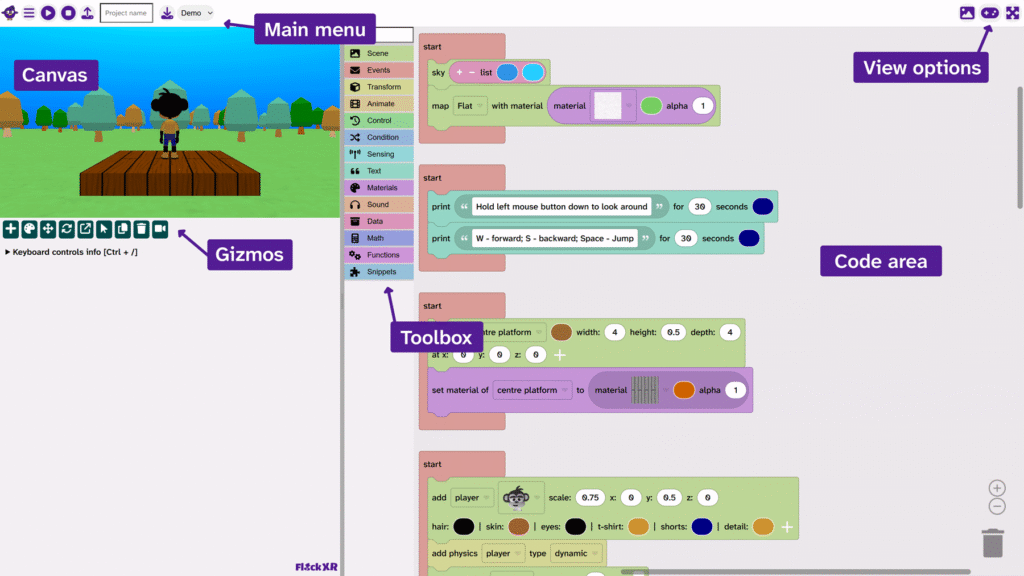
The canvas is your place to view and interact with your project and build it using the gizmos
The main menu is where you can view demos, save and upload, and change the interface colour theme
The gizmos are tools that you can use to add, colour, position, rotate, scale, select, duplicate, and delete objects in your scene
The toolbox is where you will find your code blocks
The code area is where you drag code blocks to create your program
The view options allow you to change the view of your project
