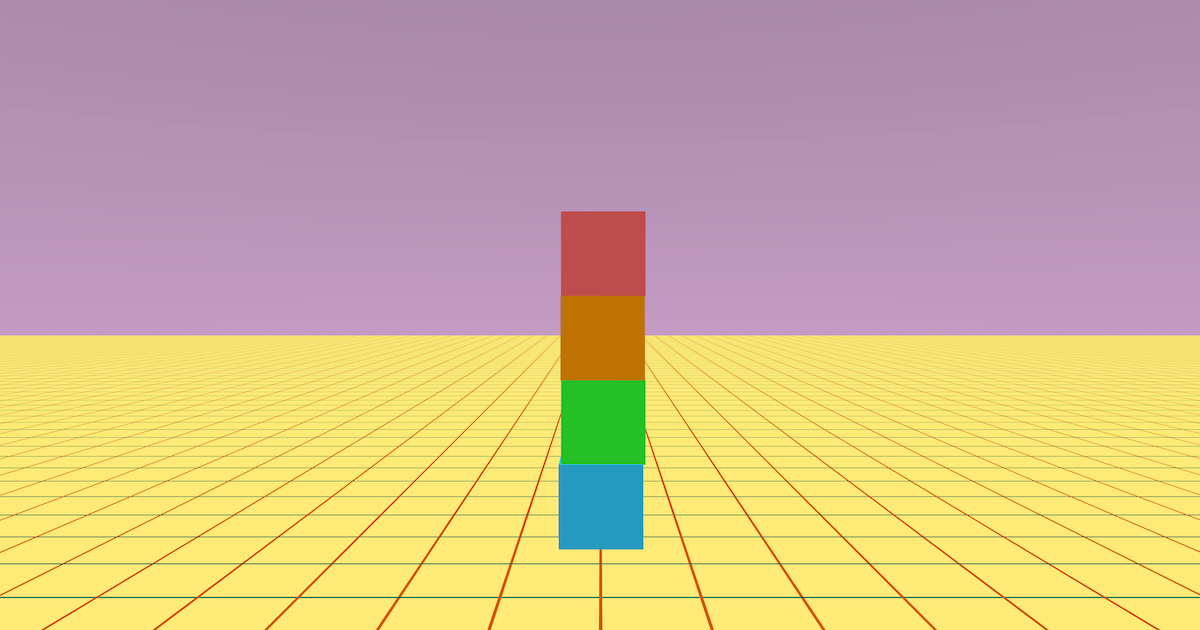
Physics Fun is a playful scene where you can click or tap different boxes to push them around using forces. Each box reacts a little differently depending on the direction and strength of the force applied, and the order you click things in can change what happens next.
This project demonstrates sky and ground setup, creating multiple objects, adding physics, click/tap interaction, and applying forces to simulate movement.
Try it out
1. Open Flock XR and go to the Demo menu. 2. Select 👆🏾 Physics fun 3. Press Play. 4. Click or tap the boxes (try different orders). 5. You should see: – on-screen instructions prompting you to click – four coloured boxes stacked vertically – the boxes moving and tumbling when clicked, each pushed in a different direction
Explore the code
Open the code and look for these parts:
On-screen instructions A set of print text blocks that tell the player what to do.
Create the boxes Four create box blocks that place boxes at different heights (Y positions) and store them in variables (box1–box4).
Add physics A set of add physics blocks that make each box dynamic so it can move and react.
When clicked Four when clicked event blocks — one per box — that run when a box is tapped or clicked.
Apply force Inside each click event, an apply force block pushes that box in a specific direction (X/Y/Z). This is why each box behaves differently.
Remix ideas
Try extending the project with your own ideas:
Change the force values to make the pushes gentler, stronger, or more chaotic.
Make every box push upwards a little so clicks feel bouncy.
Swap the boxes for spheres and see how rolling changes the feel.
Add more boxes in a line or grid so you can “chain reaction” the movement.
Add a reset button that snaps all boxes back to their starting positions.
Print a message each time a box is clicked (“Boing!”, “Zap!”, “Bash!”).
A similar project you could create
Create a “Physics playground” obstacle zone: – Add a playable character – Build a small walkable area filled with physics objects. – The player must click/tap any objects that are in the way. – Use different shapes and force directions to create variety and surprise. This uses the same core code patterns (create objects → add physics → click tap → apply forces) but extends the scene into a playable level.