
You can save your Flock XR project to your device at any time. Your project is saved as a small .flock file, which makes it easy to store or share.
Nothing is saved online. Your work always stays on your device.
How to save your project
- Go to the top menu bar in Flock XR.
- Select the Download icon.
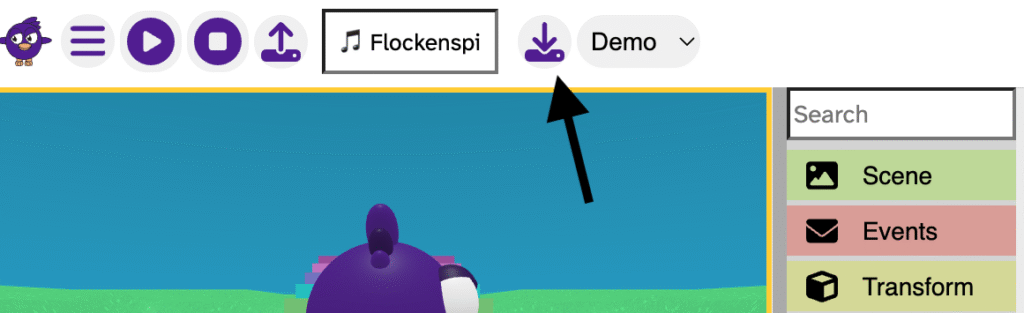
- Choose a storage place on your device.
- Give your project a clear name.
- Confirm the save.
Your project will download as a .flock file.
What the .flock file contains
A .flock file contains only the data needed to rebuild your project in Flock XR.
It does not contain:
- models
- animations
- audio
- images
Because it is only the data, the file is very small.
Tips for safe saving
- Save often
- Keep different versions (v1, v2, v3…)
- Store your files somewhere easy to find
About a warning you might see on macOS
Some devices show the message:
“Warning: this site can see edits you make.”
This message comes from macOS, not from Flock XR. It appears whenever a website asks you to save a file using the Mac Finder app.
Flock XR can only see the single file you choose. It cannot see anything else on your device.
This message is a normal macOS reminder and does not affect your privacy or safety.