
The toolbox is the place where you select the code blocks that you need to create your project. The code area is where you place your code blocks and build your program.
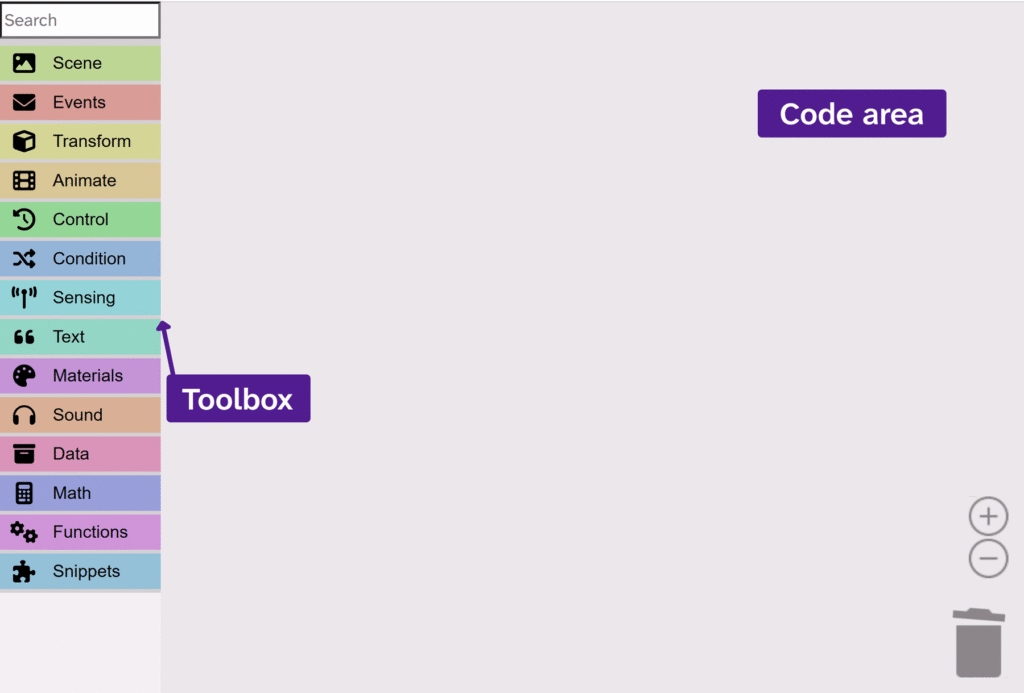
The toolbox
All of the code blocks that you need to build your project can be found in the toolbox. They are divided into categories to help make it easier to find blocks. You can also search for blocks using the search bar at the top. The colours of the categories match the colours of the blocks.
To use a code block from the toolbox, drag it into the code area.
The code area
The code area is where you can build your program by dragging code blocks from the toolbox. To learn more about code blocks, view the ‘How code blocks work‘ article.