When using decimals in Flock XR, you may notice calculations sometimes produce unexpected results such as 0.999999999999999 instead of 1. This happens because computers store decimal numbers using binary floating-point maths, which can introduce tiny rounding errors when values like 0.1 are added repeatedly. In this article, we show you a quick workaround for this.
Count up using decimal numbers
The code below counts up using decimal numbers and uses maths blocks to round the result so it displays correctly to 1 decimal place.
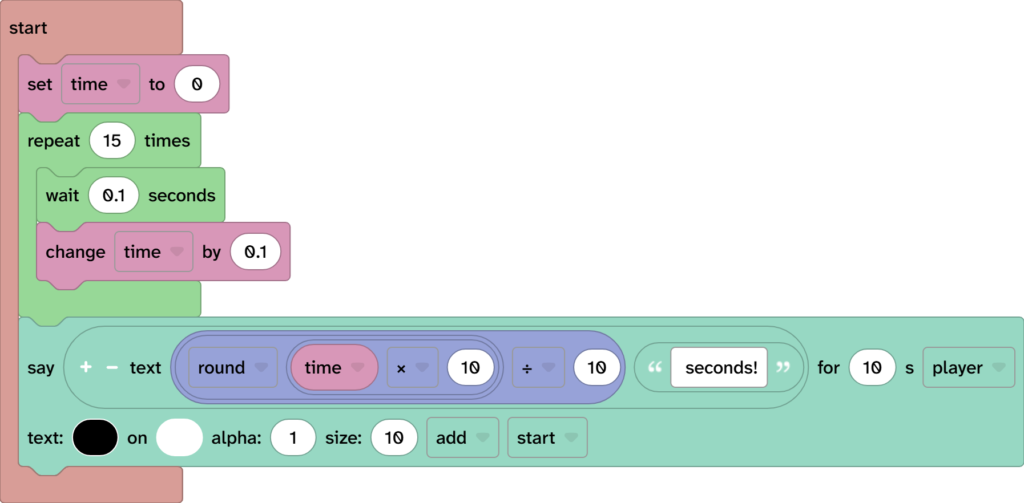
The code above will output 1.5 seconds as demonstrated in the following screenshot.

Without all of that maths in the say block the output would read like the following screenshot.