Sky block

Contents

    What does the Sky block do?

    The Sky block changes the colour of the skydome in your 3D world. The skydome is the background that surrounds everything in your scene, so changing it can completely change the mood and feel of your world.

    Sky block options

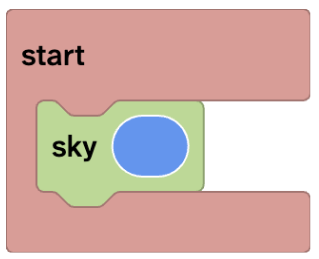
    The Sky block has one customisable option: colour.

    The colour you choose sets the overall tone of your world.
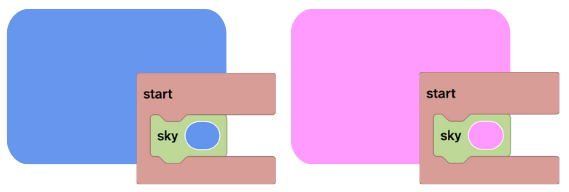
    Using materials in a sky block

    The Sky block can use different material blocks to create really interesting effects.

    From the Materials toolbox category you can use:
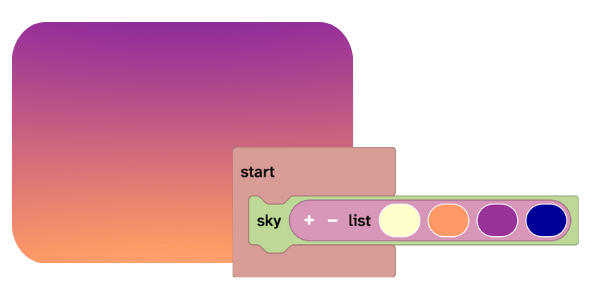
    List of colors

    Insert a list of colours, into the sky block to blend them together and create a gradient sky.

    This is great for:
    – Adding depth and atmosphere to your scene
    – Sunrises and sunsets
    – Stylised or fantasy worlds

    Random

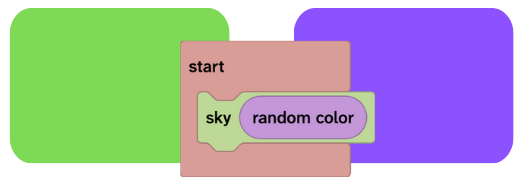
    To be surprised each time you press play you can insert a random color block.

    HEX

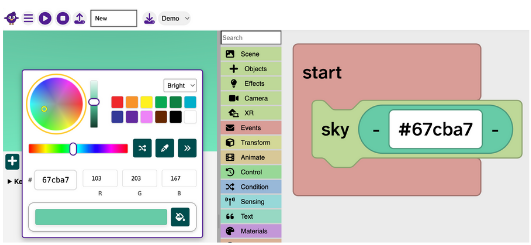
    Insert a HEX block and replace the default ‘#800080’ with another hex value.

    <svg xmlns="http://www.w3.org/2000/svg" height="24px" viewBox="0 -960 960 960" width="24px" fill="#1f1f1f"><path d="M480-80q-82 0-155-31.5t-127.5-86Q143-252 111.5-325T80-480q0-83 32.5-156t88-127Q256-817 330-848.5T488-880q80 0 151 27.5t124.5 76q53.5 48.5 85 115T880-518q0 115-70 176.5T640-280h-74q-9 0-12.5 5t-3.5 11q0 12 15 34.5t15 51.5q0 50-27.5 74T480-80Zm0-400Zm-220 40q26 0 43-17t17-43q0-26-17-43t-43-17q-26 0-43 17t-17 43q0 26 17 43t43 17Zm120-160q26 0 43-17t17-43q0-26-17-43t-43-17q-26 0-43 17t-17 43q0 26 17 43t43 17Zm200 0q26 0 43-17t17-43q0-26-17-43t-43-17q-26 0-43 17t-17 43q0 26 17 43t43 17Zm120 160q26 0 43-17t17-43q0-26-17-43t-43-17q-26 0-43 17t-17 43q0 26 17 43t43 17ZM480-160q9 0 14.5-5t5.5-13q0-14-15-33t-15-57q0-42 29-67t71-25h70q66 0 113-38.5T800-518q0-121-92.5-201.5T488-800q-136 0-232 93t-96 227q0 133 93.5 226.5T480-160Z"/></svg>
    Tip: Use the Flock XR colour picker gizmo to find the hex code of any colour.

    Material

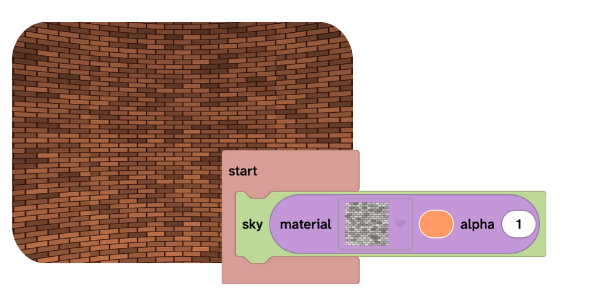
    Add a material block and change the material and colour of the sky for interesting effects.

    Tip: Use the grid material then drag round the canvas with your mouse/finger to view the skybox shape.

    Blocks that work well the sky block

    The Sky block is often used when building full 3D worlds. It works especially well with the Map block to create complete environments
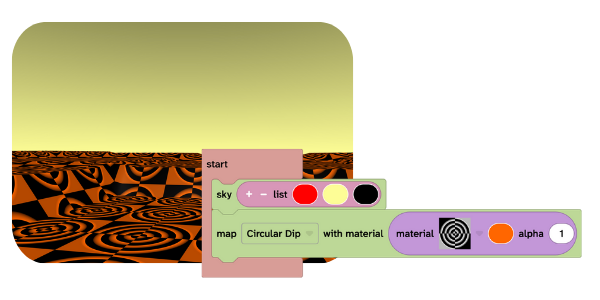
    Use the sky block

    The Sky block must be placed inside an Event block.

    If the Sky block is not inside an Event block, it will not run and the sky will not change.

    You might use the Sky block when:

    • Creating a new world
    • Making your world feel more realistic
    • Changing the scene to a specific time of day
    • Creating a mood (happy, calm, mysterious, dramatic)
    • Matching the sky to your map

    Water map is a demo project that uses a gradient sky created from a list of colours.

    You can remix this project to:
    – See how gradient skies work
    – Change the colours and compare the results
    – Experiment with different moods and styles

    Remixing projects is one of the best ways to learn in Flock.

    Updated on January 8, 2026