
To use the Sky block in Flock XR, place it inside an Event block (such as a Start block), then set its colour or material to control the appearance of the sky in your 3D world.
The Sky block changes the background and atmosphere of your scene, helping you create different moods or times of day.
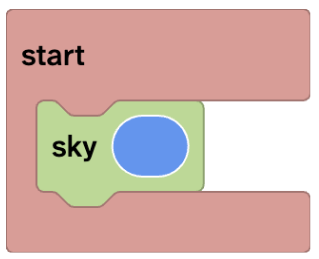
Steps
- Add a Start block (Events) to your code area
- Drag the Sky block (Scene) inside the Start block
- Choose a colour
- Press Play to see the sky update in your world
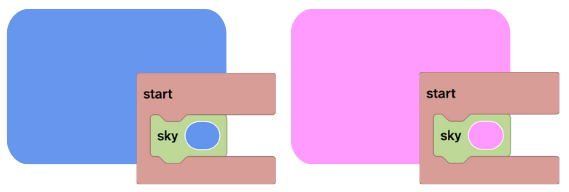
What the sky block does
- Changes the sky colour or background
- Affects the overall lighting and mood of your scene
- Helps make your world feel more immersive
Important notes
The Sky block must be placed inside an Event block.
If the Sky block is not inside an Event block, it will not run and the sky will not change.
Using materials in a sky block
You can also use materials to create more advanced sky effects, such as gradients or textures.
👉 Learn more: How to use materials in the Sky block
Suggested uses of the sky block
You might use the Sky block when:
- Creating a new world
- Making your world feel more realistic
- Changing the scene to a specific time of day
- Creating a mood (happy, calm, mysterious, dramatic)
- Matching the sky to your map
Remix a project with the sky block
Related questions
👉 How do code blocks work in Flock XR?
👉 How do I build my first Flock XR 3D world?