
To use materials with the Sky block in Flock XR, connect a material block to the Sky block to create more advanced sky effects such as gradients, patterns, textures, and dynamic colours.
Materials can help you create different moods and styles in your 3D world, from bright fantasy skies to dramatic environments.
Steps
- Add a Start block to your code area
- Add a Sky block inside the Start block
- Open the Materials category
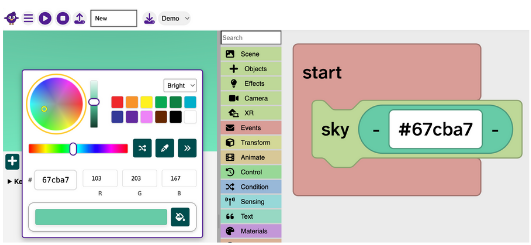
- Drag a Material or Color block onto the colour section of the Sky block
- Press Play to preview the result
What materials can do
Materials allow you to:
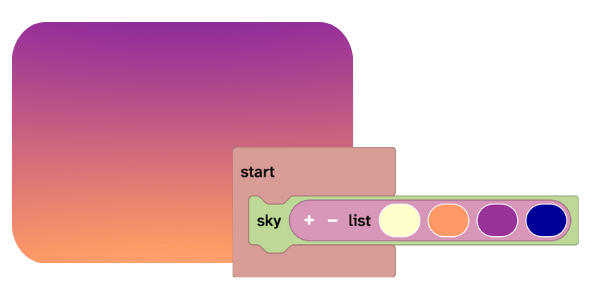
- Create gradients using lists of colours
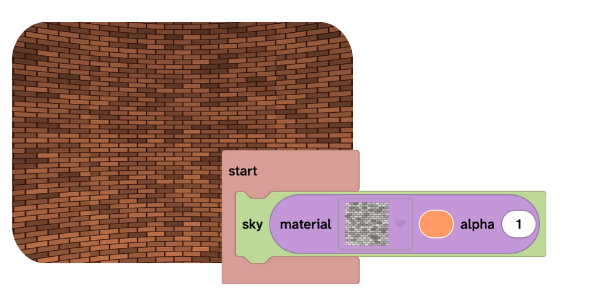
- Add patterns or textures to the sky
- Create more stylised or atmospheric scenes
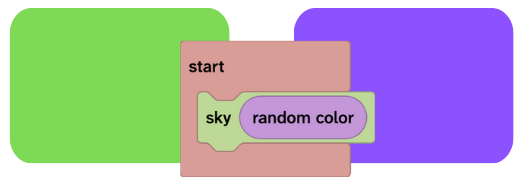
- Experiment with randomised visual effects
Small changes can dramatically change the feel of your world.

Related questions
👉 How do I use the sky block in Flock XR?